Why most system changes don’t change anything
A business services company I once worked with wanted to switch to a new CRM system so they could save money and better track their sales pipeline.
They had some fairly involved business processes in place to track their sales pipeline and report on actual and potential revenue.
On the surface, the move made sense. The CRM they were using was built for companies ten times their size. The new CRM, meanwhile, was built for their exact use case. There was a definite fit for purpose there.
However, the organization had adapted its business processes to the capabilities of its existing CRM, making their processes far more complicated than they need to be.
After considerable effort to convert their existing data to the new CRM and simplify their business processes, we had them up and running in the new CRM. The team implementing the new CRM stayed together long enough to ensure all the data was converted properly and the CRM worked in their environment. Once we did that, we disbanded.
I checked in on the organization three months later and found they weren’t using the lead tracking functionality of the CRM at all. In fact, most of the sales staff followed the same processes they had before, except they tracked less information in the new CRM.
If you’ve done any amount of work on system changes, this situation probably seems all too familiar. Systems changes that on the surface look like successful implementations result in little to no actual change to business results.
Here’s a look at why that happens and what you can do about it. These suggestions should be helpful whether you’re a business analyst, product owner, or the person responsible for the system because no one else wanted to do it.
The three failure modes of system change
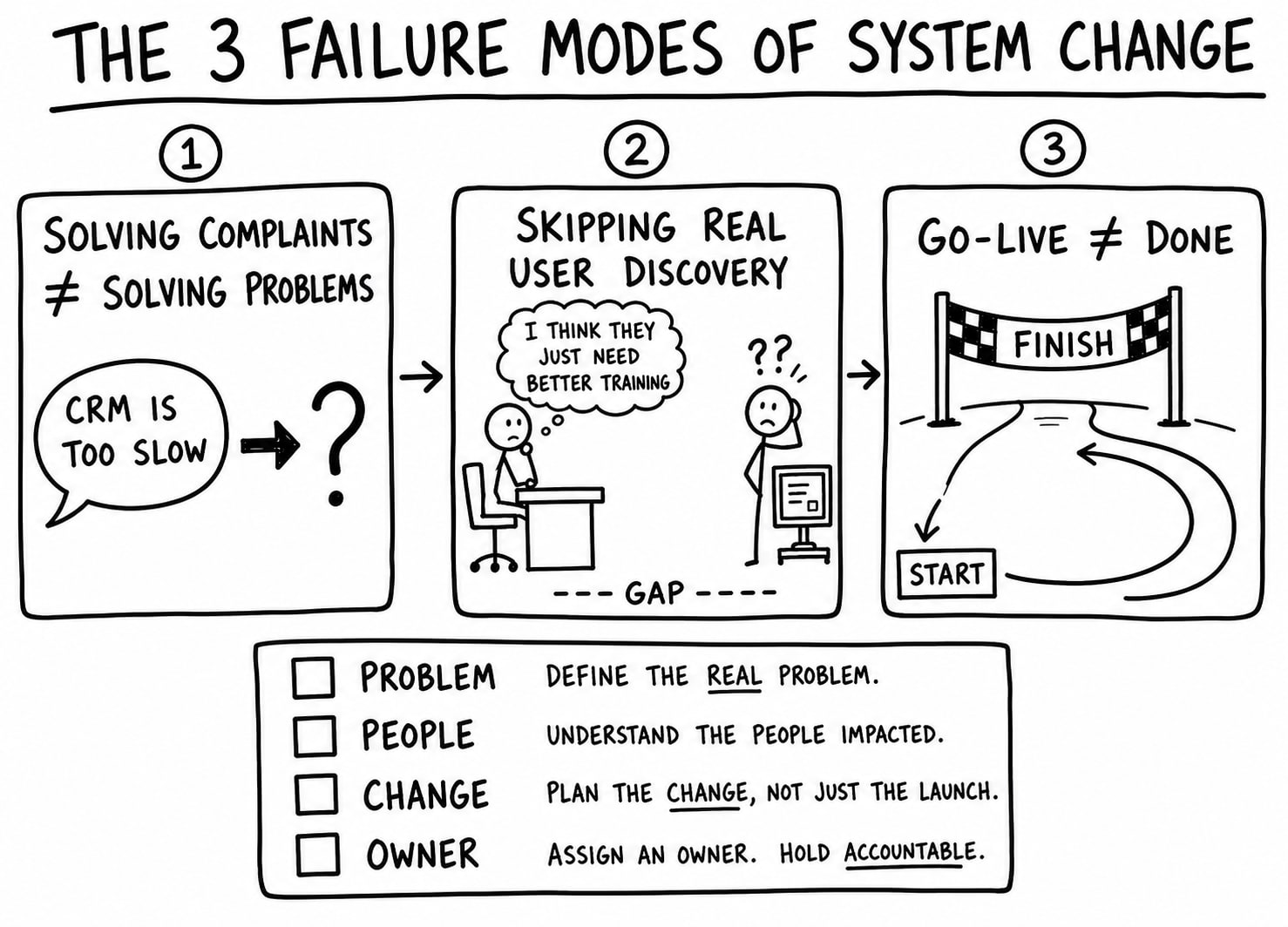
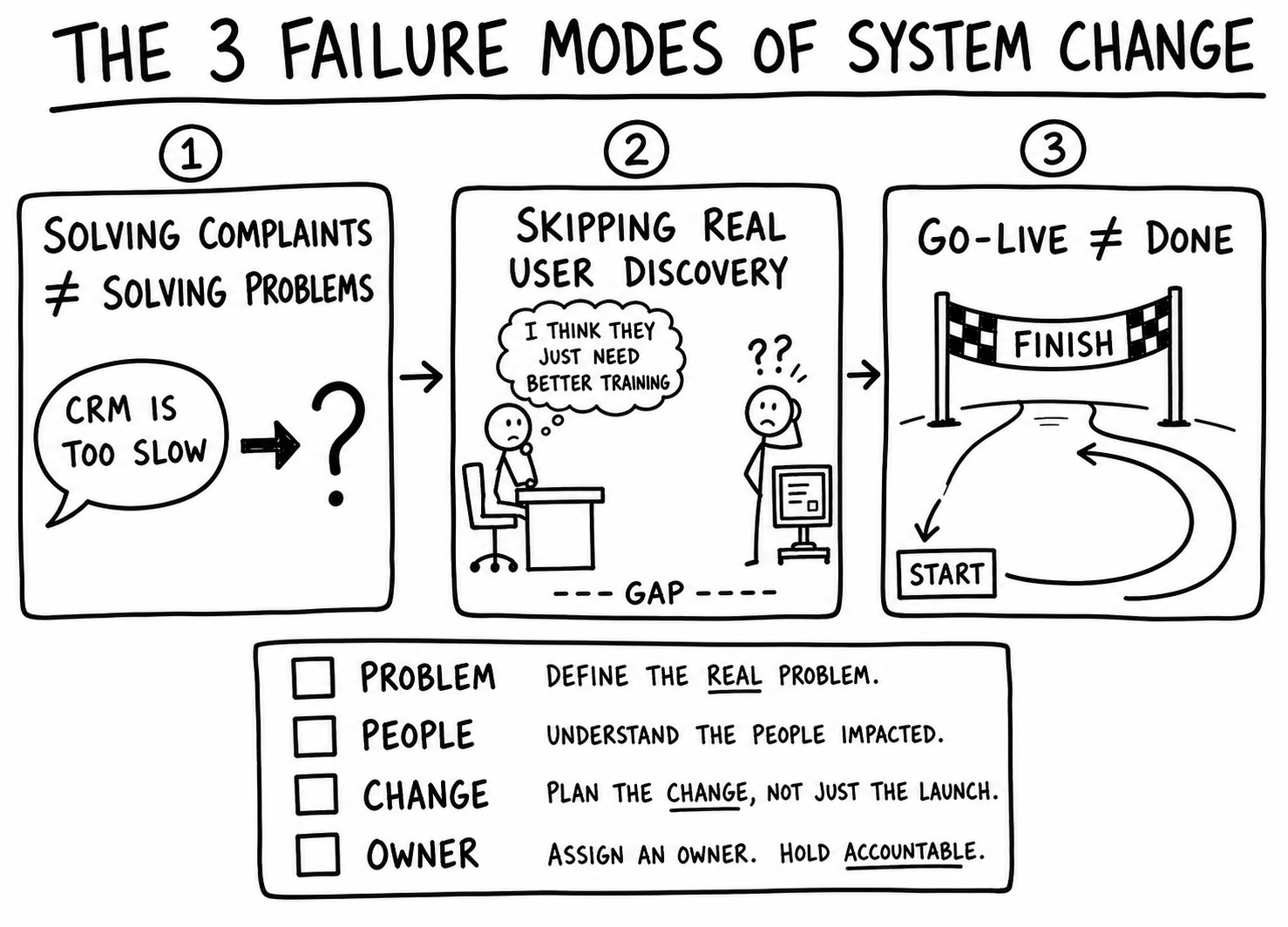
When system changes don’t drive meaningful impact, it’s rarely because of a lazy team or a bad tool. It’s because the work focused on the wrong things at the wrong time. You can classify the principal causes as one of three failure modes.
1. Solving complaints instead of problems
Most internal system changes start from complaints:
-
“The CRM is too slow”
-
“This screen has too many fields”
-
“People keep double-entering data”
Complaints can be a great signal that something is off. Unfortunately, they are rarely specific enough to directly represent actual changes you need to make.
If you focus solely on the complaint, you end up implementing solutions that directly address the complaint. That may provide some initial relief, but because you didn’t address the underlying cause, the problem festers and you end up moving the pain somewhere else.
What to do instead: before you agree to a change, ask:
-
What are people trying to get done when this hurts?
-
What actually goes wrong when the system “doesn’t work”?
-
What would be different in their day if this were fixed?
Those questions push you from “the CRM is too slow” to something like “it takes sales reps 15 minutes to enter a lead and they abandon it halfway through.” That’s a problem you can investigate further and provide a meaningful solution.
2. Skipping discovery with real users
In most organizations, the people who request system changes and the people who use the system every day aren’t the same.
Frontline staff use the systems on a day to day basis and feel the friction that comes along with a poorly configured or broken tool.
Meanwhile, managers and founders typically request system changes. Sometimes they come up with requests based on complaints from frontline staff. But the real situation can get lost in translation. More often than not, managers and founders look at their metrics and jump to conclusions about problems caused by tools.
You can’t assume that the manager or founder requesting a change has a full understanding of the real issues with the tool. If you never sit with the people who actually use the system, you get a second-hand version of reality.
That is how you improve the parts of the system managers look at, not the parts staff struggle with, and as a result, the parts that lead to actual business impact.
What to do instead: talk to 3–5 actual users before you build or configure anything.
Ask them to show you:
-
The last time they used the system for the scenario in question.
-
The point where they slow down, get confused, or switch tools.
-
Any workarounds, spreadsheets, or shadow systems they rely on.
Do not ask them what features they want. Ask them to walk you through what they do. Don’t gather requirements. Ask staff to tell you stories.
Keep in mind you’re not doing a full-blown research project. You’re trying to see what really happens before you commit to a solution.
If you’d like help dealing with these first two failure modes, check out the Systems Discovery Starter Kit at InsideProduct.
3. Treating go-live as the finish line
You’re probably used to managing system changes as projects:
-
Define scope
-
Build or configure the solution
-
Test the solution
-
Train your users
-
Go live
Once you hit the go-live date, you disband the team. Ownership gets fuzzy. No one monitors the impact of the change, so you know if you need to make adjustments.
So adoption problems, weird edge cases, and new workarounds pile up. The system “works” in theory but not in daily reality. Six months later, someone decides the system is broken, and you start the cycle again.
What to do instead: define how you will learn and adjust before you go live.
You don’t need elaborate dashboards. You need answers to simple questions:
-
Who’s responsible for watching how this change behaves after go-live?
-
How will they hear about issues—support tickets, office hours, informal conversations?
-
What counts as “good enough” adoption or impact for this change?
If no one owns the post-go-live reality, the system drifts back toward the old problems.
A simple test for your next system change
If you often find yourself in this situation, here’s a simple test to apply before you say yes to another system change:
-
Problem: Can you state the business problem in one or two sentences, without mentioning the system or tool by name?
-
People: Have you recently watched at least three people use the system for that scenario?
-
Change: Can you explain what people will be able to do differently the day after a change goes live?
-
Owner: Is there a named person who owns what happens after go-live?
If you can’t answer yes to those four questions, you are at high risk of shipping another system change that changes nothing.
You can’t fix the entire organization yourself. You can push each change one step closer to reality.
More where this came from
The next few issues will continue to focus on the joy of working on systems for SMB tech:
-
Working in reality, not in the slide deck – how to base system decisions on what actually happens, not what the process diagram says.
-
Deciding which system requests are worth doing now – using decision filters so that everything urgent doesn’t get treated as equally important.
-
What good systems practices look like in a growing business – the difference between “everyone blames the tools” and “systems that actually help people work.”
If you are the BA, PO, PM, or unofficial “systems person” in the middle of all this, these issues are for you.
One question for you
What is one system change you were involved in that looked successful from the outside but didn’t actually fix the underlying problem?
Hit reply and share:
-
What was supposed to change
-
What you actually saw happen afterwards
Your stories will inspire future issues.
Thanks for reading,
Kent