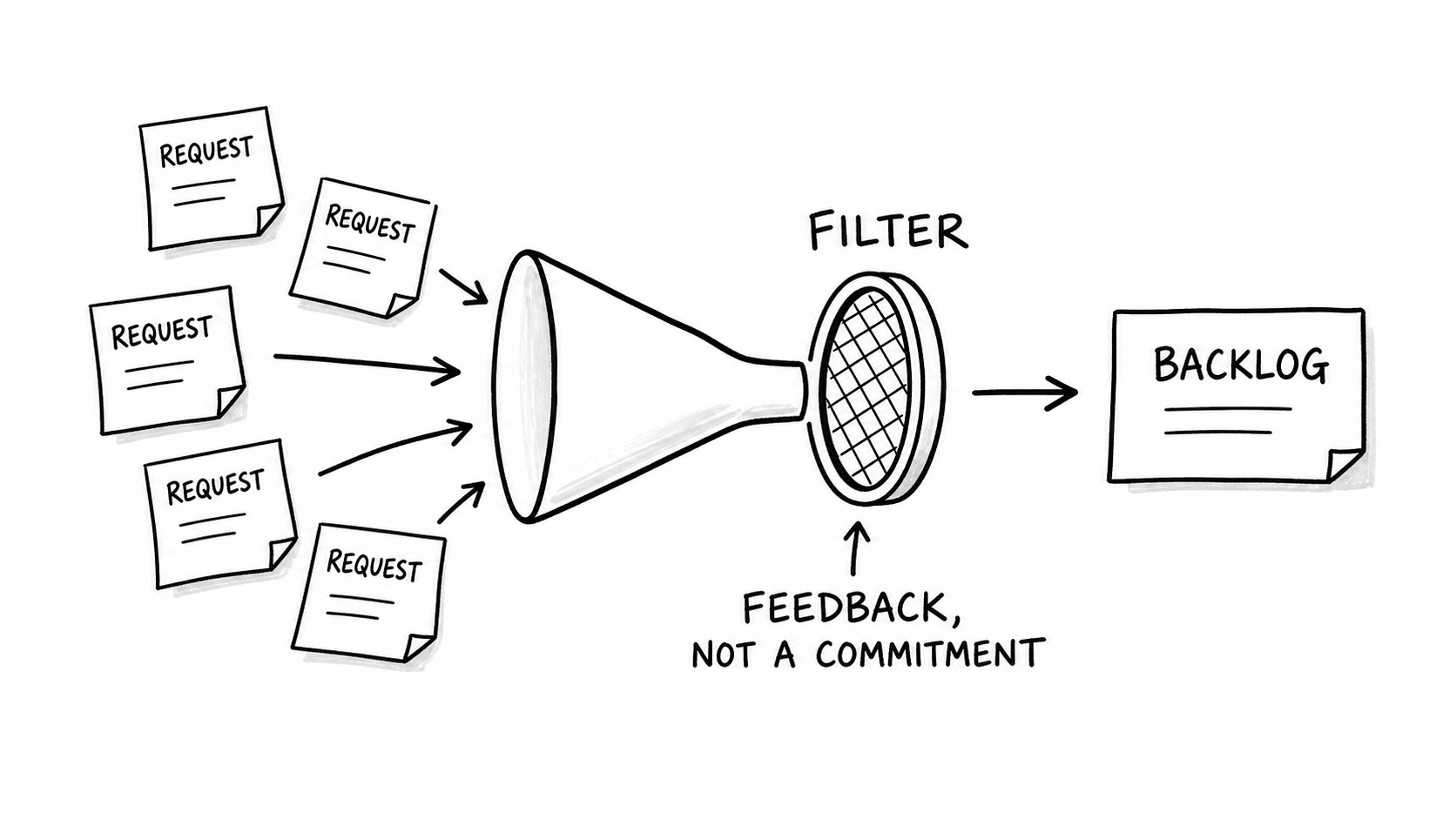
I don't put stakeholder requests directly into the backlog
I don’t put stakeholder requests directly into the backlog.
That doesn’t mean I ignore them. It means a request isn’t automatically a commitment.
Almost all product owners have to deal with requests from a wide variety of stakeholders. This is especially the case when you’ve already built an internal product and you’re trying to optimize or maintain it.
So when someone asks you to build a new report, that’s a signal that something about the product isn’t working for them. It may point to a real problem. But it isn’t automatically a backlog item.
If every request goes straight into the backlog, the backlog stops representing decisions about the product. It becomes a record of who asked for what and how hard it felt to say no.
The point of treating software you build for your company as an internal product is to maintain it for all its intended users, not just a single stakeholder.
Requests are feedback, not commitments
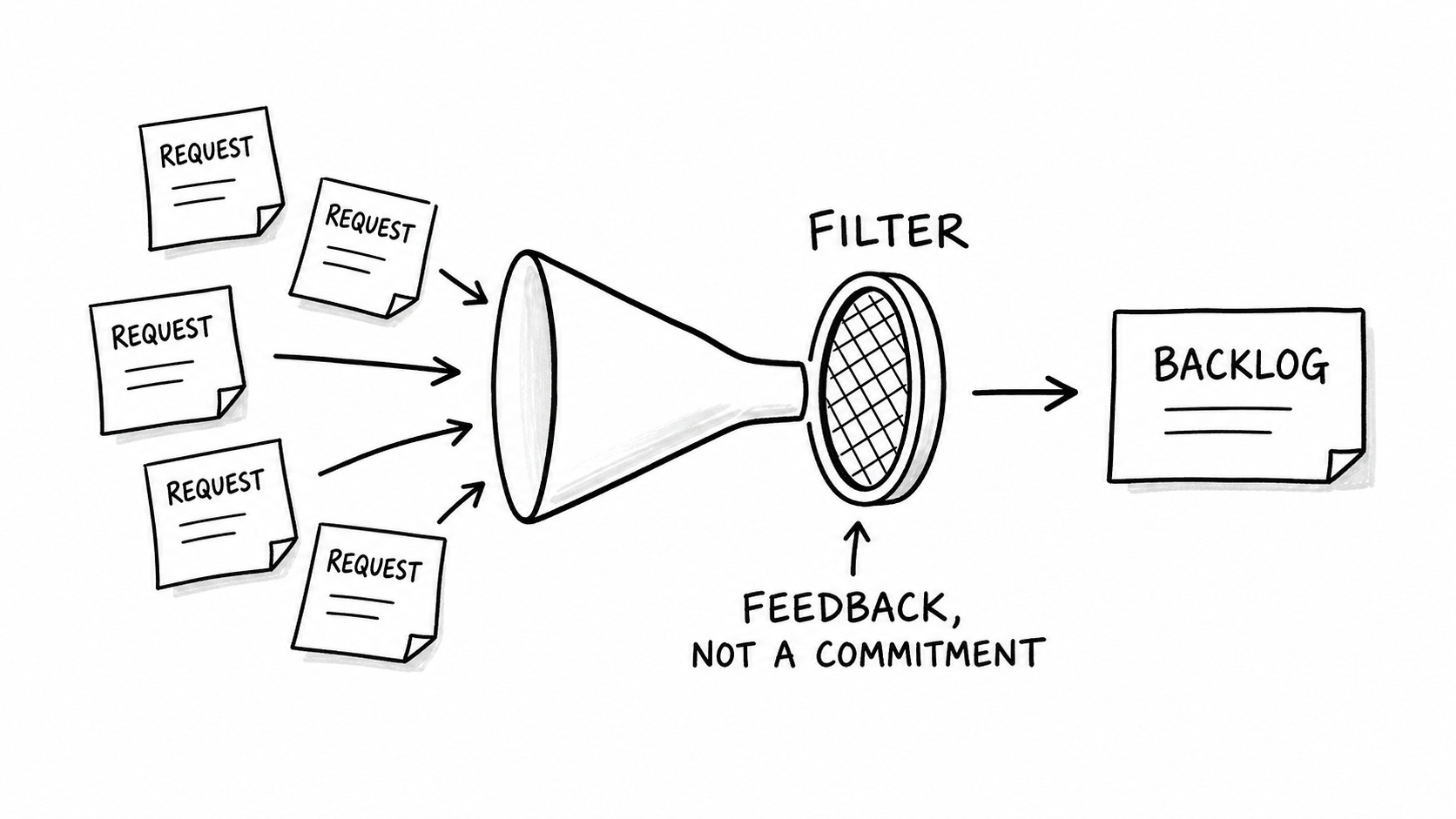
I’ve found that a change in perspective helps me deal with requests from multiple influential stakeholders. I view requests as feedback about how the product is currently working for someone, not as a commitment to deliver their proposed solution.
You still consider the request and the stakeholder who made it. But you have room to weigh it against other signals, the needs of other users, and the purpose of the product.
A stakeholder may have the authority to decide that a business outcome matters. That still doesn’t mean their proposed feature is the right way to accomplish that outcome.
Your job is to understand what they need and recommend an appropriate response for the product and its users.
Use a request-intake filter
Before you create a backlog item, work through the request with a few questions.
What’s the real problem here?
Don’t take requests in the form of a solution at face value.
Stakeholders aren’t always familiar with how software is made. They’re familiar with what they experience, so they’re inclined to provide feedback based on what they’ve observed your product doing and how they’d like it to behave.
Those requests often point to an underlying problem or desired outcome that you have to discover.
If someone asks for a report, ask what they’re trying to accomplish. What is happening in the current process? What do they have to do outside the product to get their work done?
Who is affected?
A request may come from one person, but the resulting change can affect other people. Find out who uses this part of the product and who depends on the data or process it supports.
You don’t need a large discovery project for every request. But you do need to know whether you’re dealing with an isolated request or a pattern that affects other users.
Is this request unique?
The simplest thing to do is identify outright duplicates. Are there multiple requests asking for the same, or nearly the same, thing? Create a single candidate backlog item to represent those duplicate requests.
Then look for requests that seem different on the surface but point to the same underlying issue. Combine them and describe the outcome rather than preserving every proposed solution.
What kind of problem is this?
Not every request calls for a product change. It may point to a missing capability, but it may also be a process problem or an exception that doesn’t need to become part of the product.
That distinction matters. Adding a feature to solve a process problem can add complexity without fixing the underlying issue. Changing a workflow to accommodate a one-off exception can make the product worse for everyone else.
Does it fit the product’s purpose?
Once you’ve cleaned up your list of requests to unique problems or outcomes, apply some decision filters to narrow down the requests you need to do something about.
Is your product intended to support a specific business process? Favor requests that deal with that process. That implies removing requests that move your product in a direction where it wasn’t intended to go.
Are you getting requests from people who don’t directly use the product or aren’t affected by it? Dig deeper to understand what the requestor is trying to accomplish and whether it warrants changing the product.
What happens next?
After you work through the filter, you may need more investigation. Or you may decide the request belongs in the backlog.
Creating a backlog item should come last. It’s a mechanism to encourage filtering and analysis of the feedback you receive.
Filter first, then sequence
Once you’ve filtered the requests and identified the problems worth addressing, you should have a smaller set of backlog items to sequence.
If you have 150 requests, don’t immediately try to sequence all of them. Filter through them first. Eliminate the ones you know you won’t do and identify duplicates before turning the real problems into candidate backlog items.
That sequencing discussion should include people who can explain the business context, as well as the people who understand the practical consequences of a change. But that’s a separate decision from deciding whether a request belongs in the backlog at all.
Say no without pretending the request didn’t matter
Saying no doesn’t mean pretending the request did not matter. It means explaining what you learned from it and why the proposed change isn’t the right next step.
If a request doesn’t fit the product strategy, say so. If something else is coming first, explain why.
That doesn’t make saying no easy. It does make it more honest.
Keep the backlog for decisions
A backlog should represent work you’ve chosen to consider or pursue, not every request you’ve received.
Treating stakeholder requests as feedback gives you room to understand the problem, look for patterns, apply your decision filters, and make a better call about what belongs in the product.
The next time someone asks for a change, don’t ask, “Where should I put this in the backlog?” Ask, “What is this request telling us about how the product is working?”